
Everything you need to run it well on a phone, and the popular advice that quietly makes it worse.
I do real work from my phone — a Django site, a scraper pipeline, deploys to a Hetzner box, all from a Pixel 8 Pro. Claude Code runs on it and has done for months.
Getting there took a day of benchmarking, most of which produced results I didn’t expect and a few that reversed things I’d assumed. You don’t need to repeat any of it. Here’s the setup, in order, and then the list of sensible-sounding tweaks that measure out to nothing or actively hurt.
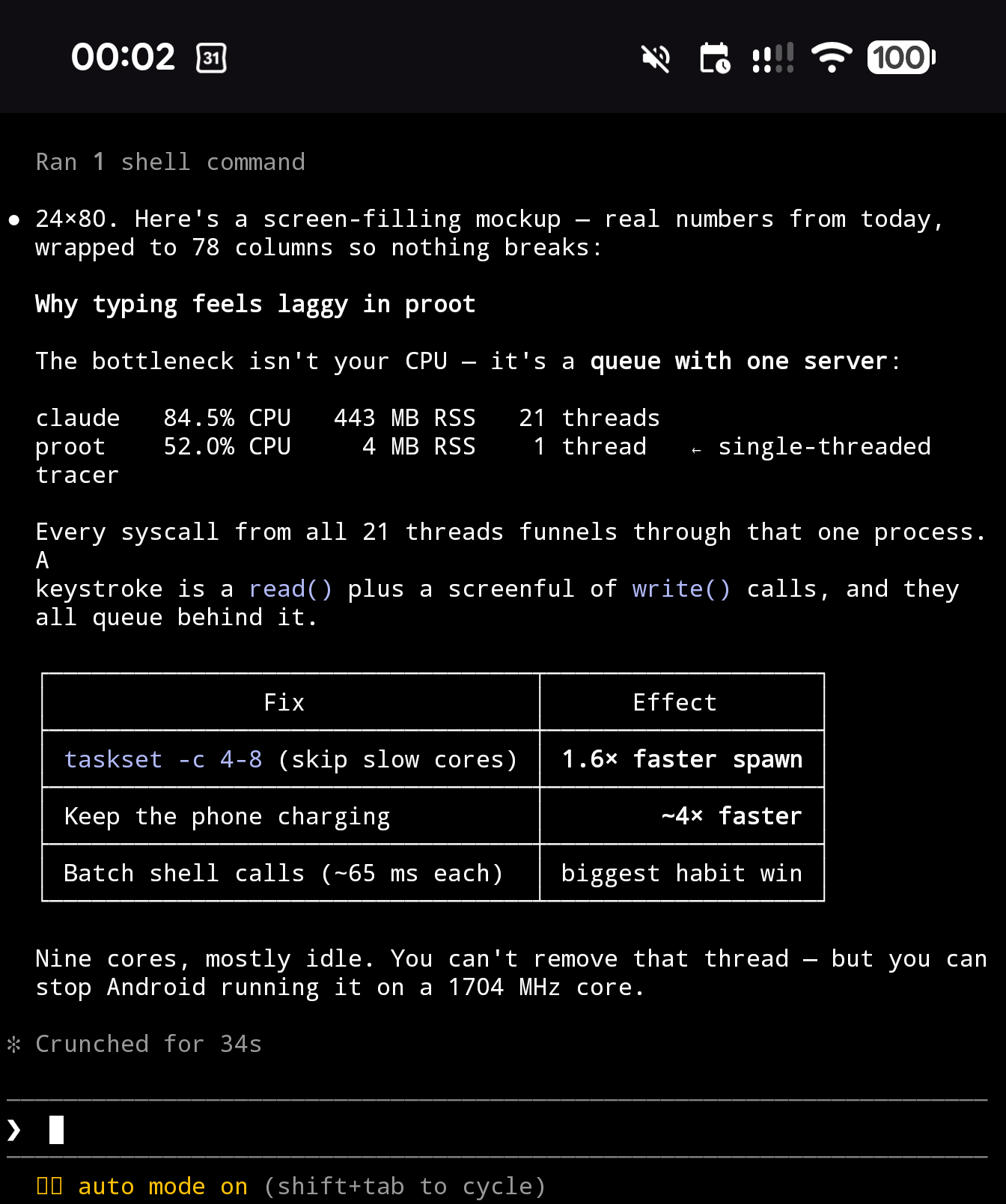
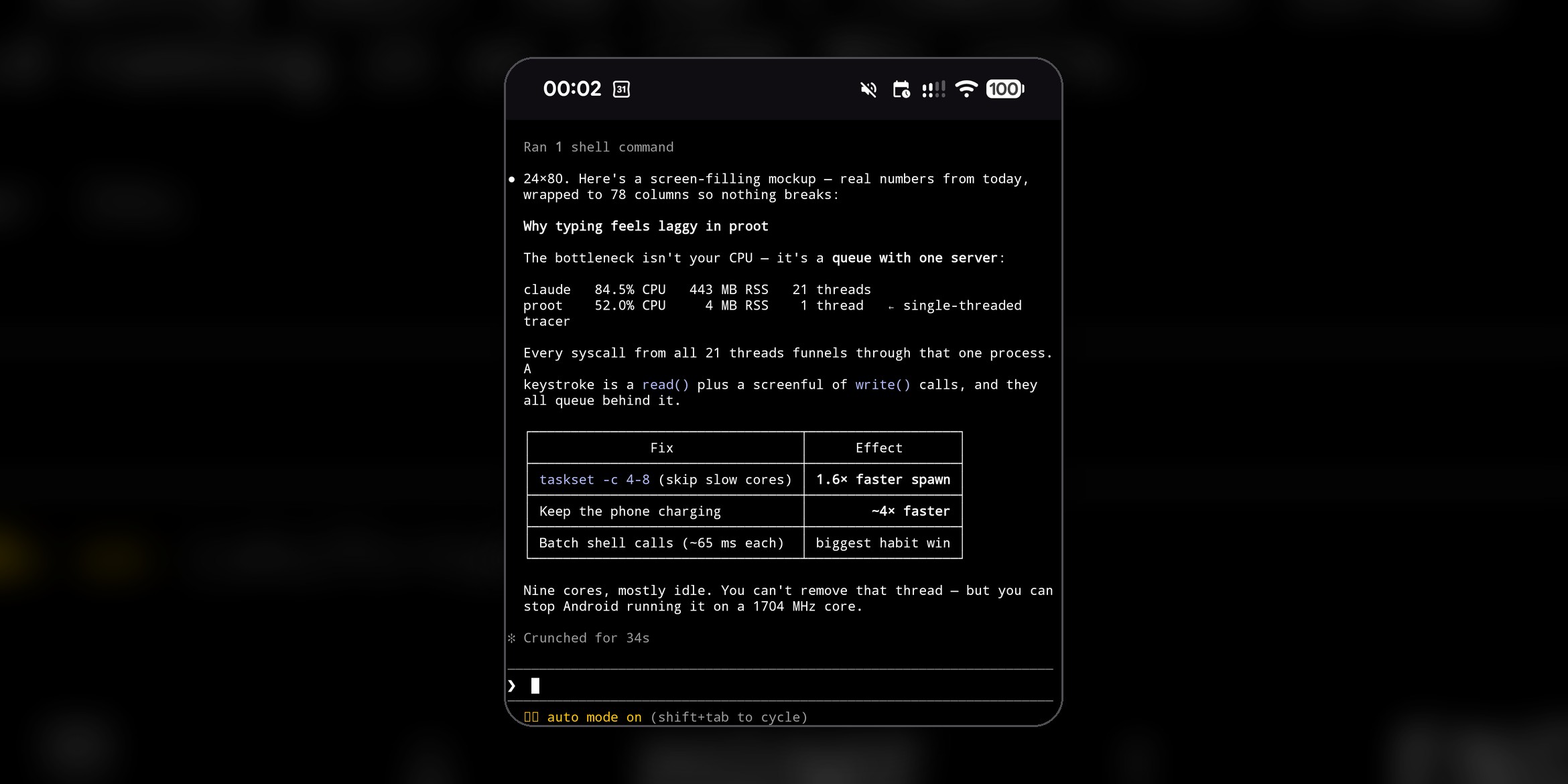
That’s it running on the phone — real terminal, real markdown tables, no remote session. This is what you’re aiming at.
The setup
1. Install Termux from F-Droid, not the Play Store. There is a Play build, for Android 11+, but Termux’s own docs call it experimental and reshaped to pass Play’s policy requirements, with missing functionality and bugs. The stable build is the F-Droid one.
Two sources are fine. F-Droid ships a universal APK at around 180 MB; Termux’s GitHub releases ship per-architecture APKs at around 120 MB, and on anything modern you want the apt-android-7 variant. Pick one source and then stay on it: the builds are signed with different keys, so you cannot update across sources, and fixing that means uninstalling, which takes your $HOME with it.
Once it’s open, update the package set and grant storage access:
pkg update && pkg upgrade
termux-setup-storage          # Android permission prompt; step 5 needs this
termux-setup-storage is what makes /storage/emulated/0 reachable at all. Skip it and the bind mount in step 5 has nothing to mount.
2. Install a Debian container. This is not optional, and the last section is the long answer as to why. Short version: the thing you install from npm has no Android build, and the Linux build it wants to download cannot run on Android outside a container.
pkg install proot-distro
proot-distro install debian
That pulls a rootfs and unpacks it, so give it a few minutes and a real connection.
3. Install Claude Code inside Debian, using the native installer:
proot-distro login debian
apt update && apt install -y curl
curl -fsSL https://claude.ai/install.sh | bash
echo 'export PATH="$HOME/.local/bin:$PATH"' >> ~/.bashrc
Two things worth knowing about that installer. It puts everything under $HOME/.local/bin, so don’t reach for sudo: it will refuse outright, because under sudo the binary lands in root’s home and the claude command then isn’t on your path. And inside Debian you are linux-arm64 as far as it’s concerned, which is a real published target, so this is the ordinary supported install rather than a workaround. The workaround problem only starts if you try it in Termux itself.
Then run claude and log in as you would anywhere else.
4. Make a launcher alias in Termux’s ~/.bashrc. This is the bit worth copying:
alias claude='taskset -c 4-8 proot-distro login debian -- /root/.local/bin/claude'Spell the path out. proot-distro login … -- command doesn’t give you an interactive shell, so the ~/.bashrc line from step 3 never gets sourced and $HOME/.local/bin isn’t on the path. And Termux’s own bin directory is on the path inside the container, so if you ever tried the npm install, a bare claude finds that shim first and dies with claude native binary not installed. The absolute path sidesteps both. You’re root inside the container, so /root/.local/bin is where step 3 put it.
taskset -c 4-8 keeps the session off your phone’s slow cores. Most modern Android chips mix core types — mine has four at 1704 MHz, four at 2367, and one at 2914 — and the process that matters most here is single-threaded, so landing on a slow core hurts. Check yours with:
for c in /sys/devices/system/cpu/cpu*/cpufreq/cpuinfo_max_freq; do cat $c; doneCount the slow ones and exclude them. On mine, cores 0–3 are the slow group, so I allow 4–8.
Honest caveat: I measured this as 1.6× faster process spawning when the phone was in a conservative power state, and as making no difference at all when it was charging and unthrottled. It costs nothing and helps sometimes, which is why it’s in my alias. Don’t expect it to be a constant multiplier.
One more reason not to: the pin isn’t permanent. Android keeps apps in scheduling groups, and when it moves one between them — backgrounded, screen off, brought back — it rewrites the CPU mask and your affinity goes with it. I watched a pinned session quietly revert to all nine cores after switching away and back. The alias applies it at launch, which is the only place you can, but don’t assume it’s still in force an hour later. nproc will tell you: it reports the pinned count, so if it says 9 instead of 5, you’ve been un-pinned.
5. Add your own bind mounts to that alias for anything you need from Android storage. Mine pulls in screenshots so I can point Claude at them:
alias claude='taskset -c 4-8 proot-distro login debian --bind /storage/emulated/0/Pictures/Screenshots:/screenshots -- /root/.local/bin/claude --permission-mode auto'Keep that on one line, however long it gets. The version first published here wrapped it across three lines with trailing \ characters, which works only as long as the newlines survive — an alias body is re-parsed when the alias expands, so backslash-newline really does continue the line, single quotes and all. The trouble is that the newlines often don’t survive. Copy it, paste it somewhere that flattens the block, and each \ is now escaping a space instead of a newline; proot-distro gets handed extra arguments that are one space wide and refuses. One line has nothing to lose.
And set your permission mode in the alias too, which is the flag on the end there. The documented way to change it is Shift+Tab, and your phone cannot send that chord: no soft keyboard emits it, and neither Termux nor Google’s terminal gives it to you. So the one affordance the interface keeps telling you about is the one you don’t have. You can ask the session to switch mode and it will, but only for that session. --permission-mode auto makes it stick, and it matters more on a phone than on a laptop, because every approval prompt is a tap you didn’t want.
6. Turn off the auto-updater. Claude Code is a ~271 MB native binary and you do not want it re-downloading over mobile data. In ~/.claude.json inside Debian:
"autoUpdates": false7. Leave the fullscreen renderer alone. "tui": "fullscreen" is the default, and it’s an alt-screen renderer that paints only the viewport, where the classic default one re-emits scrollback. I assumed that made fullscreen the expensive option and was going to tell you to turn it off — the description says the opposite, and switching to default felt appreciably worse, so I switched straight back. I then tried to put a number on it by measuring bytes written to the terminal in each mode, and couldn’t: run-to-run variance was several times larger than any gap between the two. So there’s no measured reason to change it, and one person’s fingers say don’t. Leave it.
8. Keep it plugged in for long sessions. This turned out to matter more than anything else I tried. The same benchmark ran roughly four times faster with the phone on the charger than on battery — a bigger swing than every optimisation in this post combined.
That’s the whole setup. An app, a container, an alias, two settings.
One habit that matters
Ask for fewer, bigger shell commands. Every shell call inside the container carries about 65 ms of fixed overhead before any work happens, so ten small commands burn two-thirds of a second doing nothing. If you tell Claude to batch its shell work — or drop it in your CLAUDE.md — you’ll feel it. This is the single highest-leverage habit on the platform and it costs nothing.
Don’t bother with these
Each of these is common advice. I measured all of them on-device, and they range from pointless to actively harmful.
Don’t expect ripgrep to speed anything up — but don’t reach past the bundled tools either. Claude Code shadows grep and find with wrappers that re-execute its own bundled search tools out of that 271 MB binary. It looks absurd, so I timed it expecting to find waste, and found the opposite: over a real 1,331-file repo the bundled grep ran in 0.57 s against 12.2 s for the system one, ten recursive searches each. Twenty times faster. The wrapper skips .git and gitignored files, so I gave system grep the same exclusions before believing it. The big binary is already in the page cache, which is why re-invoking it is nearly free.
I originally wrote that up as “don’t install ripgrep”, which was wrong, and it’s worth saying why. The grep and find wrappers are unconditional — they stay active no matter what you install. Only the rg wrapper is conditional, so installing ripgrep affects rg alone, and bundled rg and system rg benchmark identically (2.9 s either way). Install it if you like it; it costs nothing and gains nothing. What actually costs you is bypassing the wrappers — if something in your setup calls command grep, that’s where the twentyfold difference goes.
Don’t move your code off /sdcard. The shared-storage bind is FUSE-backed and every guide says to avoid it. Creating 300 small files took 0.92 s there against 0.72 s on the container’s own filesystem, and bulk throughput was a wash. It’s a rounding error, not a reason to restructure your working directory.
Don’t hunt for services to disable. There are none. A proot container has no systemd; mine runs seven processes total, most of them my own shell.
Don’t bother cleaning disk. Freeing space frees space. It changes no timing.
Don’t try sysctl tuning. vm.swappiness, dropping caches, mounting a tmpfs — all Permission denied. You don’t have root on the Android kernel and proot cannot give it to you.
Don’t bother tuning proot’s own flags. Its seccomp acceleration is already on, so it’s only trapping the syscalls it must. Dropping the optional extensions measured at 2–5%, which is nothing.
Why it has to be Debian
Three paths look like they should work. None of them do, and knowing that saves you the day I spent on it.
Termux natively. The npm package no longer ships a JavaScript implementation — it’s a small installer stub that downloads a platform-native binary, and its target list has no Android entry. As of writing that list is exactly eight packages: macOS, Linux (glibc and musl) and Windows, on x64 and arm64. There is no Android one, and the name it would have returns a 404, so it was never published rather than merely unlisted. Termux’s Node reports its platform as android, the installer matches nothing, and you’re left with a stub that prints an error. Even fetching the Linux ARM64 binary by hand fails: it’s linked against glibc, and Termux is Bionic.
Running the glibc binary directly under Termux. Your Debian container already has a complete glibc tree, so you can aim its loader at the binary without installing anything. I was confident about this one. Every glibc binary launched that way is killed instantly by Android’s seccomp filter — SIGSYS, including /bin/echo. The loader itself runs fine; anything linked against libc dies.
Tracing it names the culprit exactly:
set_robust_list(0x7a75553100, 24)
--- SIGSYS {si_code=SYS_SECCOMP, si_syscall=__NR_set_robust_list} ---
+++ killed by SIGSYS +++
set_robust_list is part of glibc’s thread setup, which runs before main(). So it isn’t some exotic call in a corner of the library — it’s one of the first things any glibc program does, and Android’s filter rejects it. That’s why /bin/echo gets no further than a real application would.
Which means proot isn’t overhead you’re paying instead of something better. It’s the reason Debian binaries run on this phone at all, because it mediates exactly the syscalls that filter would otherwise reject.
Google’s Linux Terminal. Android ships a real Debian VM now, on a real kernel, and architecturally it’s the right answer — no translation layer, the ordinary binary just runs. In practice the VM gets killed when your screen turns off, Android lifecycle events recreate the session anyway, multi-line paste is unreliable, and an unclean shutdown marks the VM “damaged”. I want to like it. I wouldn’t trust an afternoon’s work to it yet.
What’s actually slow, in one paragraph
If you want the mechanism: proot works by ptrace-ing the process it hosts, and it’s a single-threaded tracer sitting in front of Claude Code’s twenty-one threads. Every syscall from every thread funnels through that one process, which sits pegged at around half a core. That’s why the lag shows up when you type — a keystroke is a read plus a screenful of writes, and they all queue behind one server. It’s not your CPU; there are nine of them, mostly idle. You can’t remove that thread. You can keep it off a slow core and stop your phone throttling it, which is what the alias and the charger are for.
Measured on a Pixel 8 Pro (Android 17, 9 cores, 12 GB RAM) running Debian 13 under proot-distro and Claude Code 2.1.220, July 2026. Full workings — raw timings, the commands that produced them, and the test script that killed the native-glibc idea — are in this post’s data/ folder. Fair warning if you go digging: the single biggest lesson in there is how badly a phone’s power state swamps everything you try to measure against it, and how many times I had to relearn that.
